EN


How to Choose a Patient Monitor for ICU and General Wards
Choosing a Patient Monitor starts with a practical question: what must the team see, act on, document, and hand over during a real shift? A device that suits a high-acuity bed may add unnecessary complexity in a general ward, while a basic configuration may not support an ICU workflow. The useful comparison is not “more parameters versus fewer parameters.” It is whether the monitor, accessories, alarm practice, and data pathway fit the care setting.
From a clinical-workflow perspective, this is a purchasing and implementation decision as much as a specification decision. Nurses, clinicians, biomedical engineers, and procurement staff may all assess the same Patient Monitor differently. Align their requirements before comparing quotations.
Start by separating ICU and general-ward monitoring tasks
ICU monitoring is usually organized around close observation, rapid change recognition, frequent intervention, and reliable handover. A Patient Monitor for this environment commonly needs a configuration that supports the clinical parameters authorized by the facility, clear alarm presentation, durable accessories, and an integration plan that can be verified before go-live.
General wards can have different priorities. The team may need straightforward vital-sign checks, a readable display, mobile use between beds, battery planning, and a simple escalation workflow. That does not make safety less important; it changes how the equipment is evaluated. In a busy ward, information clarity should be observed during the rhythm of a real shift, not only in a quiet demonstration.
Write two short requirement lists before requesting quotations. One list should describe ICU tasks, including expected monitoring intensity and escalation pathways. The other should identify ward workflows, transfer patterns, and who will be responsible for routine checks. This prevents a generic multiparameter monitor specification from being treated as a complete solution.
Build the parameter set around clinical use, not a feature checklist
A multiparameter monitor can combine several measurements, but every configured parameter brings questions about training, accessories, alarm setup, display priority, and documentation. Ask clinical and biomedical teams to identify which parameters are required for each area and which are optional for a specific patient population.
ECG and rhythm display
ECG monitoring may be central in higher-acuity areas, but a procurement review should go beyond the number of leads listed on a brochure. Confirm the expected lead configuration, cable compatibility, display layout, alarm behavior, electrode supply process, and cleaning instructions. Your team should also define who validates the local setup and how staff will distinguish a technical alert from a clinically meaningful event.
Oxygen saturation workflow
An SpO2 sensor is part of a measurement workflow, not just an accessory. Verify sensor type, patient-size suitability, replacement availability, cable handling, and the intended response to poor signal quality. If reusable and single-patient options are both considered, compare their local infection-control, purchasing, and turnover implications rather than assuming one is automatically preferable.
Blood-pressure measurement
For NIBP monitoring, the cuff range, hose connection, measurement modes, and cleaning or replacement plan deserve the same attention as the screen. Ask how the unit communicates a failed or delayed reading and whether the planned cuff inventory matches the populations served. A sound configuration discussion identifies conditions that must be verified; it does not treat a specification sheet as proof of clinical suitability.
Compare ICU and ward needs in one decision matrix
| Decision area | ICU questions | General-ward questions |
|---|---|---|
| Observation pattern | Can the display and alarms support close, continuous observation under the facility’s protocol? | Can staff complete routine checks and recognize escalation needs without a cluttered workflow? |
| Parameter planning | Which clinically authorized parameters and accessories are needed at each bed type? | Which measurements are needed consistently, and which should remain optional? |
| Alarm governance | Who sets, reviews, and audits alarm practices during commissioning? | Can alarm messages be understood and acted on by the assigned ward team? |
| Mobility and power | How will transport, battery checks, and docking fit critical-care transfers? | Is the unit practical for rounds, bed moves, and charging routines? |
| Data pathway | What interface, validation, and responsibility checks are required before integration? | What needs to be recorded locally, and how is handover supported? |
The table is deliberately condition-based. Equipment functions are useful only when they fit a workflow step. A common purchasing mistake is to compare headline parameters first and leave interface verification until delivery. That can create avoidable rework when the site’s data, network, mounting, or accessory requirements are clarified late.
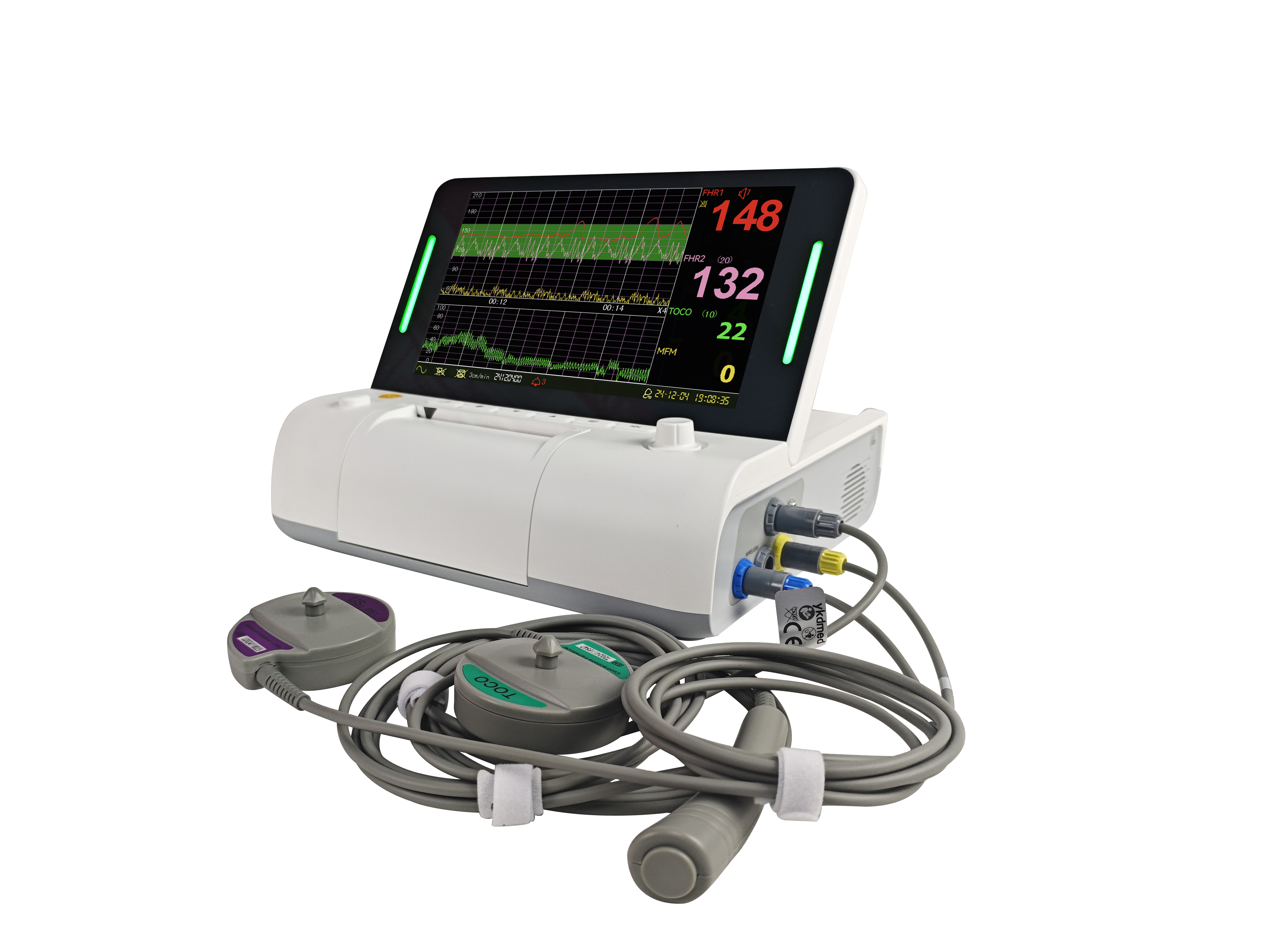 Workflow review helps align monitor configuration with the care setting.
Make alarm and usability testing part of the selection process
Ask for a structured demonstration using representative scenarios approved by the hospital. Test visibility from normal working positions, the time needed to find key information, alarm acknowledgement behavior, cable routing, cleaning access, and menu navigation. Include the people who will use the monitor at night, during admissions, and during transfers—not only the project team.
Many procurement conversations overlook the installation conditions that must be confirmed before deployment. For a Patient Monitor, document mounting, power, network availability where applicable, battery charging routines, accessory storage, and acceptance-test responsibilities. In technical deployment, the important question is not merely whether an interface is mentioned; it is whether there is a verification path owned by named people.
Check documents, service planning, and acceptance criteria
Document review should be proportionate to the market and the facility’s procurement rules. For multifunction monitoring equipment, IEC 80601-2-49 is a relevant reference for basic safety and essential performance requirements; ask suppliers for the documents and market-specific evidence that your organization requires rather than assuming compliance from a product category label.
Before purchase approval, request clarity on the user manual, service documentation available to the responsible team, preventive-maintenance expectations, spare-part and accessory lead times, warranty scope, training plan, and acceptance testing. A supplier discussion is more productive when it uses a checklist covering requirements, delivery, installation, training, and acceptance instead of broad promises about “full support.”
A practical final checklist
- Define ICU and general-ward workflows separately.
- List required parameters, including the intended use of ECG monitoring, the SpO2 sensor, and NIBP monitoring.
- Confirm accessory, consumable, cleaning, and replacement workflows.
- Test usability and alarm presentation with representative users.
- Assign ownership for installation, connectivity checks, training, and acceptance.
- Review applicable documents and local procurement requirements before final selection.
The right Patient Monitor is the one whose configuration can be verified against the care environment, staff routine, and implementation plan. Use the comparison to narrow options, then let the hospital’s qualified clinical, biomedical, and procurement stakeholders validate the final choice.
 Hot News