EN


What Should Hospitals Check Before Purchasing Patient Monitors?
Buying a Patient Monitor is not simply a matter of comparing screen size or counting available parameters. A hospital is buying a device that must fit a care area, an alarm-response process, a data environment, and a maintenance plan. From a hospital procurement perspective, the most useful starting point is to convert clinical needs into questions that clinicians, biomedical engineering, IT, and purchasing can answer together.
Before asking a patient monitor supplier for a quotation, define where the Patient Monitor will be used: general ward, emergency area, recovery, transport, or a higher-acuity setting. The same feature can have different value in different workflows. A bedside monitor that is suitable for a stable ward patient may not meet the workflow, connectivity, or alarm-response needs of another department.
1. Start with the care task, not a feature list
Ask each department to describe the patient group, the measurements they need to review, who acts on alarms, and how frequently staff move between beds. This makes vital signs monitoring a workflow question rather than a generic specification exercise. It also prevents a common mistake: comparing quotes that appear similar but include different sensors, modules, licenses, accessories, or service terms.
- Which parameters are required now, and which may be needed as services change?
- Will the Patient Monitor stay at one bed, move with the patient, or connect to a central viewing workflow?
- Who interprets information, adjusts alarm limits, and responds when an alarm occurs?
- What needs to be documented, transferred, or reviewed after the observation period?
A useful internal requirement sheet describes tasks rather than brand names. For example, instead of requesting “the most advanced Patient Monitor,” state which patient category is being observed, which measurements are clinically required, and what staff must be able to see or do during a busy shift.
2. Check measurements, accessories, and configuration boundaries
Once the use case is clear, turn it into a configuration checklist. Confirm the measurement options, ranges, accessories, consumables, mounting choices, battery arrangements, and any optional software separately. Do not assume that a quoted Patient Monitor includes every item shown in a brochure or demonstration.
For each proposed configuration, ask the supplier to identify what is standard, optional, reusable, single-patient-use, or dependent on a particular module. This is especially important when comparing a bedside monitor across suppliers: a lower initial quotation may cover a different configuration scope. If a feature is important to a clinical workflow, make it a line item to be verified at delivery and acceptance.
3. Evaluate alarms in the context of staff response
Alarm behavior deserves its own review. Alarm systems in medical electrical equipment are addressed by IEC 60601-1-8, which provides general requirements, tests, and guidance. That does not establish whether a specific Patient Monitor is appropriate or compliant for your project; hospitals should confirm applicable documentation and local requirements with qualified teams.
More practically, ask how the Patient Monitor displays priorities, how staff acknowledge or pause alarms, how technical and physiological alarms are distinguished, and what happens during transport, network interruption, or low battery. Alarm fatigue is a workflow concern, so a demonstration should involve the people who will respond—not only the people approving the purchase. The key question is not whether an alarm exists, but whether it supports a clear action in the intended care setting.
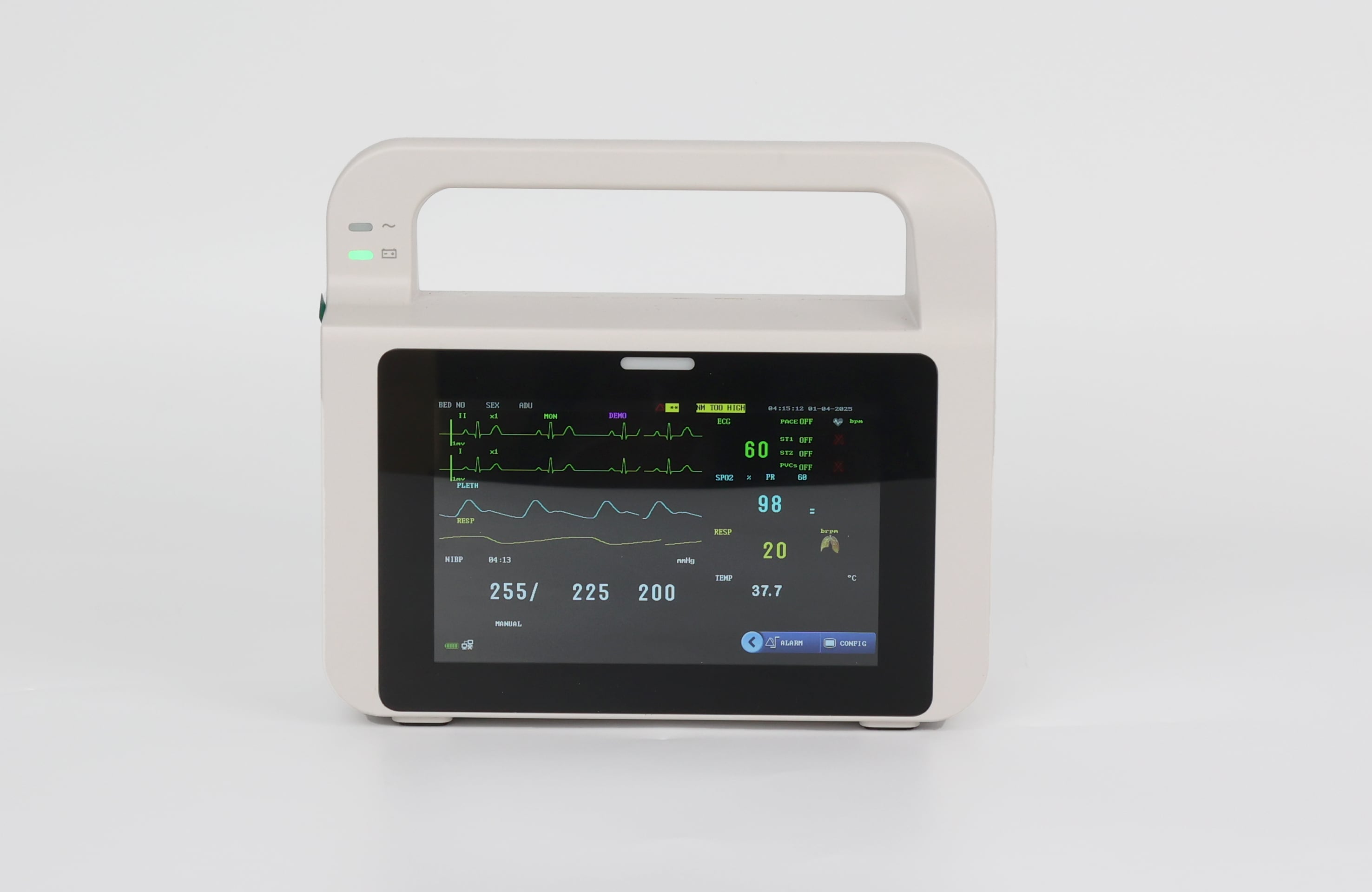 Assess alarm workflows with the clinical and technical teams who will use and support the device.
4. Verify connectivity, cybersecurity, and data responsibilities
If the Patient Monitor will connect to a network, central station, electronic record, or device-management environment, bring IT and clinical engineering into the evaluation early. Request an interface description, network requirements, supported software versions, user-account approach, update process, and responsibilities for installation and support.
FDA safety communications have addressed cybersecurity vulnerabilities in certain patient monitors, so cybersecurity should be a normal supplier discussion rather than a late-stage add-on. Ask how vulnerabilities are communicated, who applies updates, how downtime is managed, and which functions continue if connectivity is lost. These answers should be documented for the exact proposed Patient Monitor configuration, not inferred from a general company statement.
5. Assess usability with real users
Arrange a structured evaluation with nurses, physicians where appropriate, and biomedical staff. Use typical scenarios: admitting a patient, changing a sensor, reviewing trends, responding to an alarm, handing over a patient, and cleaning the unit. During this review, record what users can do without workarounds and what requires training or a local procedure.
For vital signs monitoring, clarity may matter as much as the number of functions. Can users identify the right patient, see the information they need, understand status messages, and operate the device safely during routine work? A Patient Monitor should be assessed in the context of these tasks, not only on a showroom demonstration.
6. Make patient monitor maintenance part of the purchase decision
Patient monitor maintenance starts before purchase. Ask for the preventive-maintenance recommendations, inspection points, calibration or performance-verification needs, software support policy, expected accessory replacement process, repair escalation path, spare-part availability, and training options. Clarify whether the hospital, a local service partner, or the patient monitor supplier owns each task.
Also compare lifecycle terms alongside the purchase price. For every Patient Monitor, document warranty coverage, response expectations, service exclusions, training, installation, updates, accessories, and any recurring costs. This does not mean one support model is typically better; it means the chosen model should match the hospital’s internal engineering capacity and response needs.
7. Agree on delivery, acceptance, and follow-up evidence
Before issuing an order, translate requirements into acceptance criteria. The delivery team should know what configuration will arrive, which documents are required, who checks serial numbers and accessories, who performs installation, and how staff training is recorded. A clear acceptance plan turns the purchase of a Patient Monitor into a controlled handover rather than a box-opening exercise.
- Confirm the approved configuration against the purchase order.
- Verify supplied accessories, mounting, power, battery, and network prerequisites.
- Test agreed functions and alarm workflows in the intended environment.
- Record user and technical training, service contacts, and escalation routes.
- Set the first review date for usage feedback and patient monitor maintenance.
Final procurement checklist
A well-chosen Patient Monitor is one whose configuration, alarm behavior, usability, connectivity, and support model all fit the hospital’s real workflow. Start with the care task, compare like-for-like configurations, involve users and technical teams, and require evidence for the proposed setup. This article provides a selection framework, not a substitute for local clinical, engineering, regulatory, or procurement review.
 Hot News